
Built for motor parts retail
The point of sale that keeps selling when the internet stops
JCC Inventory runs your counter, your stockroom and your branches from one system. When the connection drops, the till carries on — and every sale syncs itself the moment you are back online.
Already a customer? Sign in to your account
- Sales completed offline
- 100%Sales completed offline
- Built-in report types
- 14Built-in report types
- Staff role levels
- 6Staff role levels
- Store & tenant aware
- MultiStore & tenant aware
- Installs on any device
- PWAInstalls on any device
What you get
One system from the scan to the month-end report
Everything a parts shop runs on, without stitching together a till, a spreadsheet and a chat group.
Sells with no internet
Counter-speed checkout
Stock you can trust
Built for several branches
Reports you can send
Barcodes and receipts
The difference
How offline-first actually works
Not a cached page that shows you yesterday's prices. A real local copy of your data, a queue that drains itself, and honest handling of the cases where two terminals disagree.
The catalogue lives on the device
On first sign-in the terminal downloads the products, categories, stock levels and prices for its store into local storage on the machine, scoped so switching business or branch never mixes data.
Sales are written locally first
Completing a sale writes it to the device and to an outbox queue. The receipt prints from the device too, so the customer walks away with paper whether or not you have a connection.
Sync happens on its own
There is no polling and no timer to wait for. The queue drains when the app opens, when the connection returns, when you switch back to the tab, and after every change you make — plus a manual Sync Now button when you want to force it.
Replays can't double-count
Each sale carries a unique client-generated id, so if a retry sends the same sale twice the server returns the record it already has instead of creating a duplicate. Multiple terminals in the same branch coordinate so only one uploads at a time.
Conflicts surface instead of vanishing
If two devices edited the same record, the later write wins and the rejected version is logged rather than dropped. If an offline sale pushes stock below zero, the sale is still recorded — it is flagged for review, with the reason attached, so you reconcile deliberately.
Nothing is stuck in the dark
A sync queue screen lists every change still waiting, in plain language, with its status and last error, and lets you retry or discard it. The staff avatar carries a live dot: grey offline, green synced, red needs review.
Worth knowing: if an offline sale would push stock below zero, we record the sale and flag it for review rather than rejecting it. You never lose a sale to a stock disagreement.
Read the detail →Inside the software
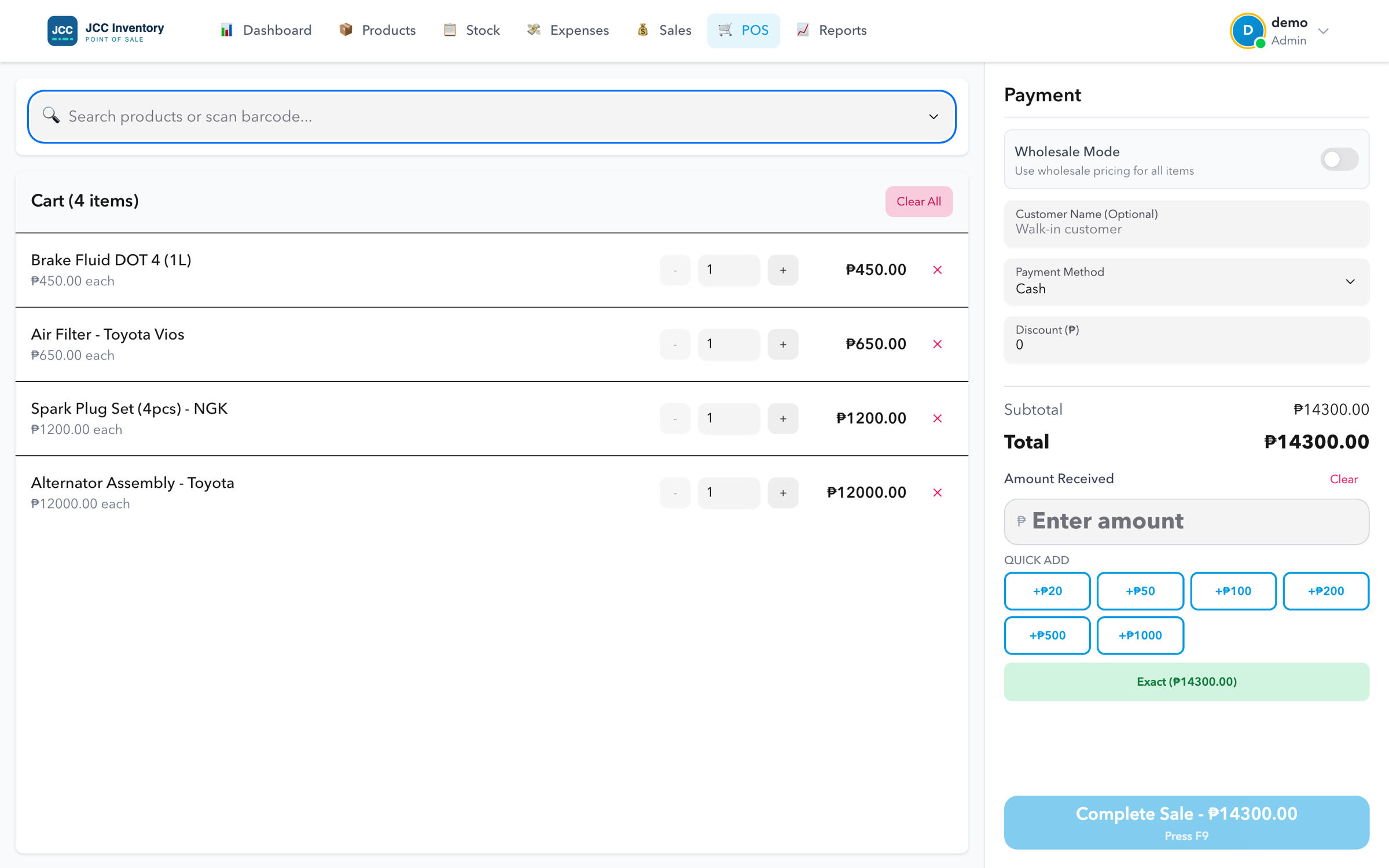
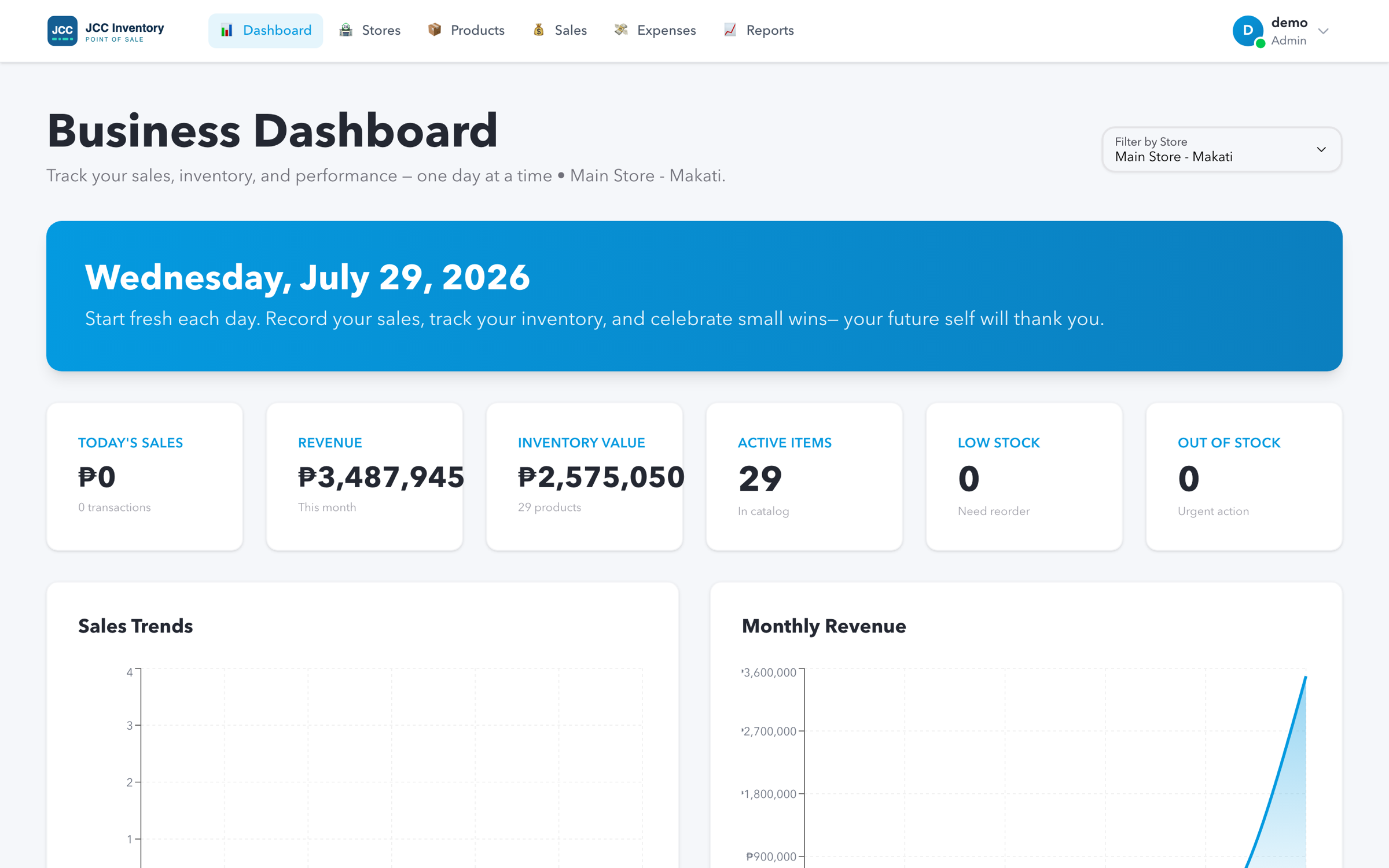
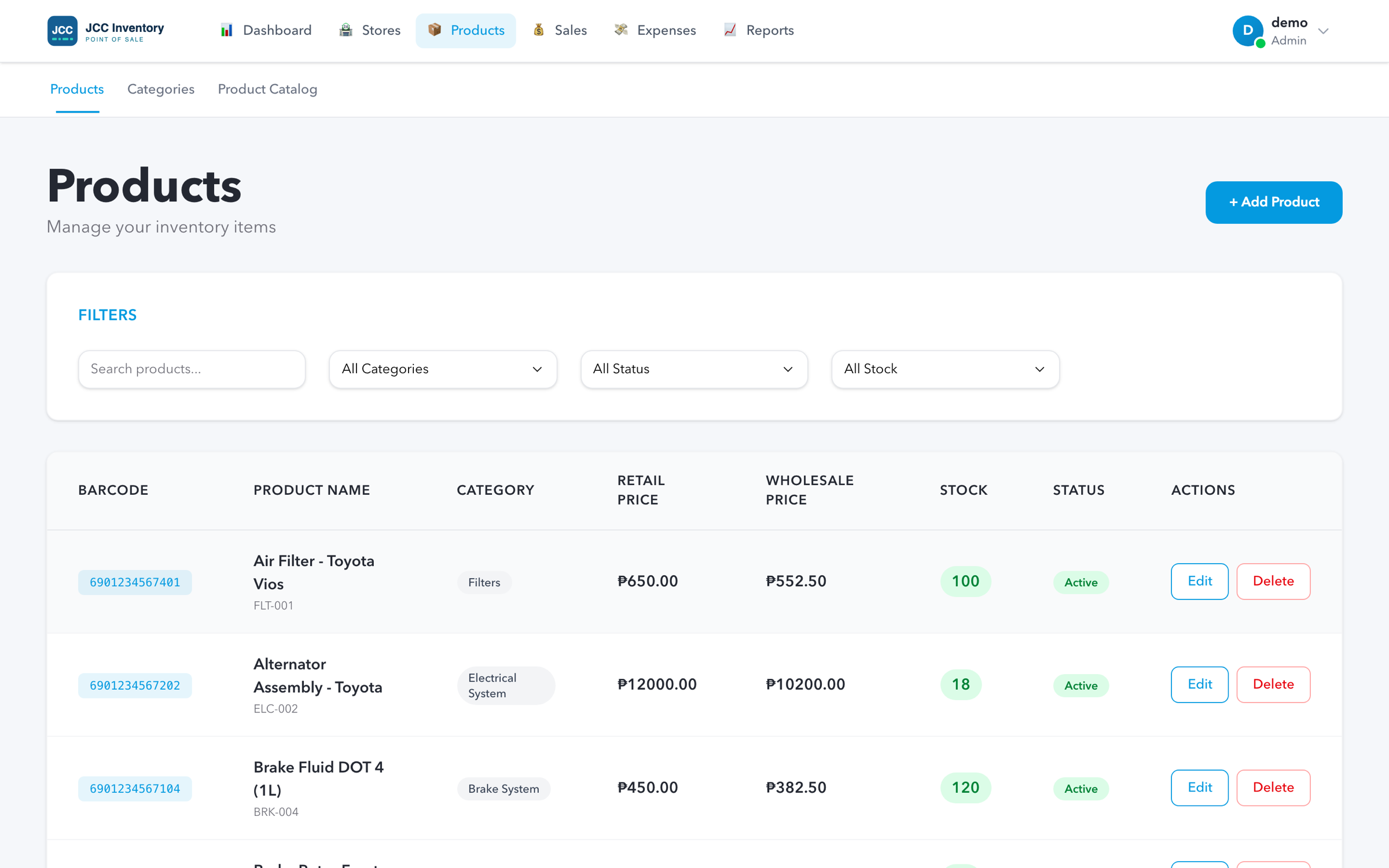
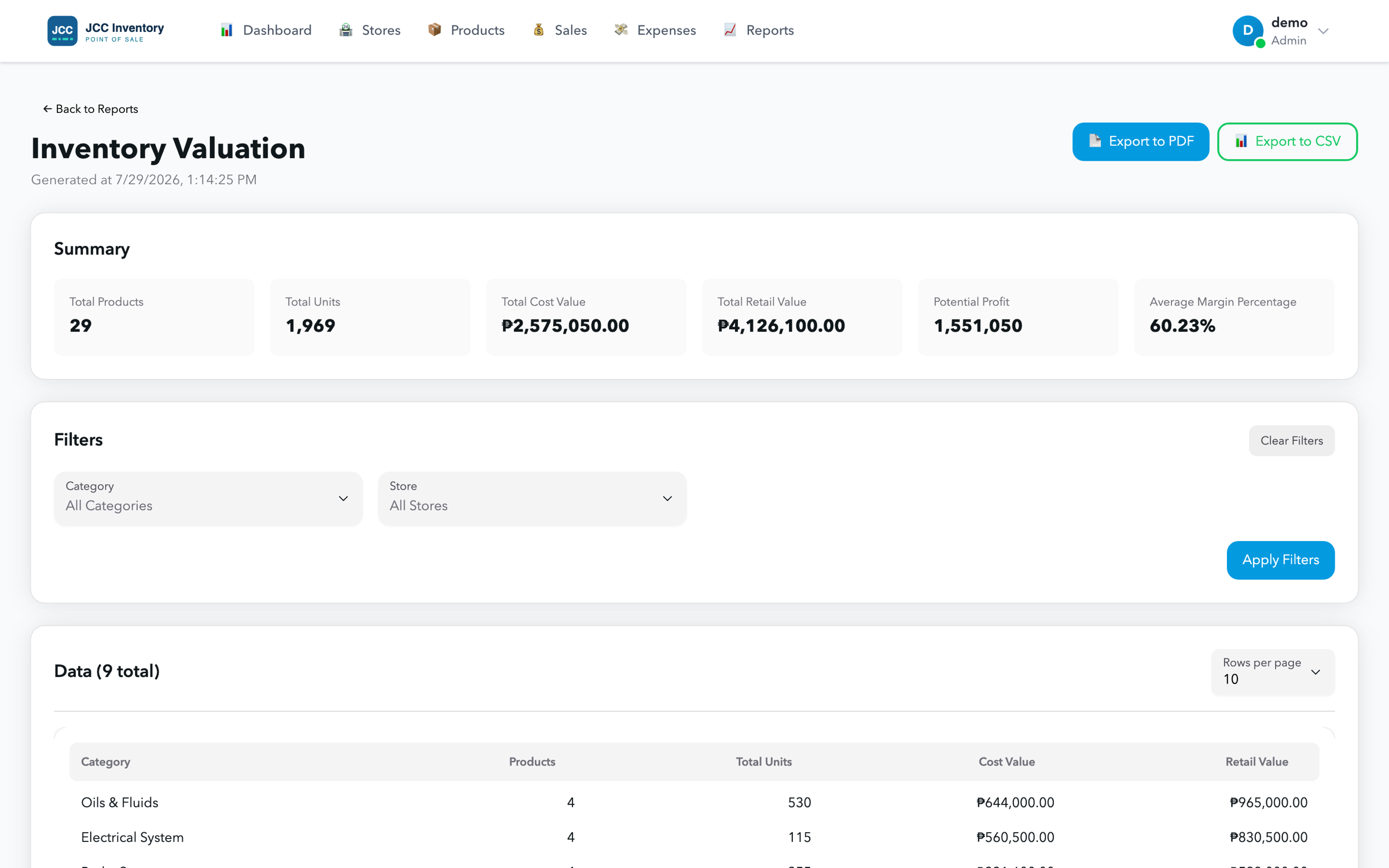
Real screens, not mockups
Every image on this page is a screenshot of the running application with a motor parts catalogue loaded.
Access control
Six role levels, enforced on the server
A cashier sees the till and nothing else. That restriction holds because the server refuses the request, not because a menu item is hidden.
Super Admin
PlatformManages businesses and the shared master parts catalogue. Steps into a business to support it, and must do so explicitly before touching any of its data.
Admin
BusinessOwns one business: its stores, staff accounts, products, sales, expenses and reports. Enters a specific store to use the till.
Store Admin
One storeRuns a single branch end to end — checkout, stock, expenses, sales history and reports for that store only.
Store Operator
One storeDay-to-day counter and stockroom work: checkout, products, stock movements, dashboard.
Inventory Staff
One storeReceiving and stock accuracy, without access to the money side of the business.
Cashier
One storeSigns straight into the POS terminal and sees nothing else. The narrowest possible surface for the busiest role.
Reporting
Fourteen reports, and a link you can paste into a message
Filters and paging live in the URL, so what you send someone opens on the page you were looking at.
- Sales — daily sales, weekly sales, monthly revenue, payment-method breakdown
- Inventory — stock levels, low stock, stock movement, inventory valuation
- Products — top selling, products by category
- Expenses — monthly expenses, by category, by vendor, transaction list
PDF and CSV export
Professional PDFs generated in the background with progress, and CSV export up to 10,000 rows.
Bulk exports
Sales, products and stock as CSV, Excel or PDF, with a notification when the file is ready.
Per-branch comparison
In all-stores mode the charts plot a separate line per store, so you can see which branch carried the month.
Remembered filters
Each report keeps the filters you last used, so your Monday morning check is two clicks.
Getting started
Your catalogue in, not retyped
Motor parts lists are long and full of near-duplicates. Import is built to survive yours.
Upload your file
CSV, XLSX or XLS, in whatever column layout you already have. No template to conform to first.
Confirm the mapping
We guess which column is the SKU, name, price and category, show you a sample row, and let you correct anything we got wrong.
Review the result
A summary of exactly what was created, what was updated and what was rejected — with the reason for each rejection.
Ready to see it running in your store?
We'll walk you through the POS terminal, cut the network mid-sale, and show you the sync queue clear itself.